 By blogziro123@gmail.com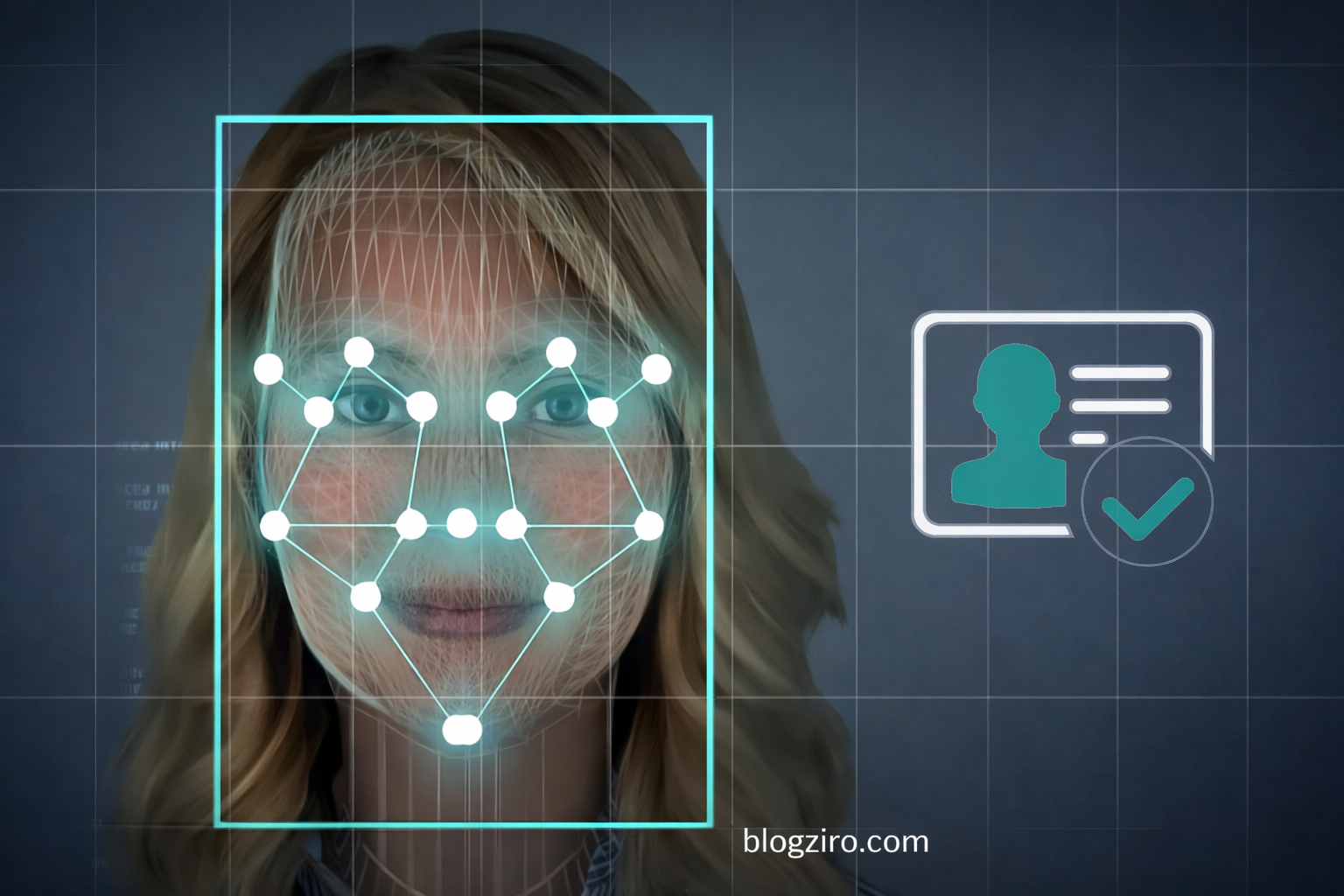
Meta Description:
Discover how software face recognition works, its benefits, accuracy, security concerns, and real-world applications in this expert, easy guide.
Software Face Recognition: How It Works, Uses, Benefits, and Challenges
Software face recognition has quickly become one of the most talked-about technologies in artificial intelligence. From unlocking smartphones to enhancing airport security, it’s now part of everyday life. But how exactly does it work? Is it safe? And why are so many businesses investing in it?
In this guide, we’ll break down everything you need to know about software face recognition in simple, practical language. Whether you’re researching it for business, security, or personal curiosity, you’ll walk away with a clear understanding of how this technology works and what it means for the future.
What Is Software Face Recognition?
Software face recognition is a biometric technology that identifies or verifies a person by analyzing facial features from an image or video. Unlike fingerprint or iris scans, it doesn’t require physical contact. A camera and intelligent algorithms do all the work.
At its core, the system maps facial features — such as the distance between the eyes, nose shape, jawline structure, and cheekbone contours. These measurements are converted into a digital faceprint, which is then compared against a database.
If there’s a match, the system confirms identity. If not, access can be denied or flagged for review.
This technology falls under the broader category of computer vision and machine learning. Most modern systems rely on deep learning models, especially convolutional neural networks (CNNs), to improve recognition accuracy over time.
How Does Software Face Recognition Work?
To understand the power of facial recognition software, it helps to look at the step-by-step process.
1. Face Detection
The first step is identifying a face within an image or video frame. The software scans for patterns that resemble facial structures.
Modern systems use AI-based face detection models that can recognize faces in different lighting conditions, angles, and backgrounds.
2. Facial Feature Analysis
Once a face is detected, the software analyzes key facial landmarks. These typically include:
-
Distance between eyes
-
Nose width
-
Depth of eye sockets
-
Shape of cheekbones
-
Jawline length
These details are converted into a mathematical representation.
3. Face Encoding
The system transforms facial data into a numerical code — often called a face embedding or faceprint.
This code is unique to each individual, similar to a fingerprint but based on facial geometry.
4. Matching and Verification
The faceprint is compared against stored templates in a database.
If the similarity score exceeds a certain threshold, the system confirms a match. If not, it rejects the identification.
Many modern solutions also use liveness detection to ensure the image is from a real person and not a photo or video replay.
Key Components of Face Recognition Systems
Here’s a quick breakdown of what makes these systems work:
| Component | Function |
|---|---|
| Camera / Sensor | Captures facial images or video |
| Face Detection Algorithm | Identifies face location in frame |
| Feature Extraction Model | Maps facial landmarks |
| Face Encoding System | Converts features into numerical data |
| Matching Engine | Compares data against database |
| Database | Stores facial templates |
Each component plays a critical role in ensuring speed and accuracy.
Real-World Applications of Software Face Recognition
This technology isn’t just experimental anymore. It’s widely deployed across industries.
Smartphone Authentication
Most modern smartphones use facial recognition as a secure unlocking method. Apple’s Face ID and similar Android systems rely on 3D mapping and infrared sensors for improved accuracy.
Security and Surveillance
Governments and law enforcement agencies use facial recognition software to identify suspects, locate missing persons, and enhance public safety.
According to the National Institute of Standards and Technology (NIST), the accuracy of top-performing algorithms has improved dramatically over the last decade.
Banking and FinTech
Banks use facial biometrics for remote identity verification. Customers can open accounts or approve transactions through face authentication.
This reduces fraud and simplifies onboarding processes.
Retail and Customer Experience
Retailers use facial recognition to analyze customer behavior and personalize shopping experiences. Some stores even deploy it for automated checkout systems.
Healthcare
Hospitals use facial recognition to manage patient identification, reducing record errors and improving operational efficiency.
Workplace Access Control
Many companies are replacing keycards with facial recognition access systems for secure, contactless entry.
Benefits of Using Facial Recognition Software
Organizations adopt this technology for several strong reasons.
1. Enhanced Security
Unlike passwords, facial features cannot be easily forgotten or guessed.
When combined with liveness detection and multi-factor authentication, security levels increase significantly.
2. Speed and Convenience
Authentication happens within seconds. There’s no need to type passwords or carry physical ID cards.
3. Contactless Operation
In a post-pandemic world, touchless systems became more important. Facial recognition supports hygienic, contact-free verification.
4. Reduced Fraud
Biometric authentication lowers the risk of identity theft and unauthorized access.
5. Scalability
Cloud-based facial recognition systems can manage millions of identities efficiently.
Accuracy and Performance: How Reliable Is It?
Modern software face recognition systems are highly accurate — but performance depends on multiple factors.
The National Institute of Standards and Technology (NIST) regularly evaluates algorithms and reports significant improvements in accuracy rates. Top-tier systems now achieve accuracy rates above 99% under controlled conditions.
However, real-world performance can vary due to:
-
Lighting conditions
-
Camera quality
-
Facial angle
-
Obstructions (glasses, masks, hats)
-
Database quality
Advanced systems use deep learning and large datasets to minimize bias and improve fairness across demographics.
Privacy and Ethical Concerns
While the technology offers impressive benefits, it also raises serious privacy questions.
Organizations like the Electronic Frontier Foundation (EFF) and the American Civil Liberties Union (ACLU) have expressed concerns about surveillance misuse and lack of consent.
Key issues include:
-
Mass surveillance
-
Data storage and breaches
-
Algorithmic bias
-
Lack of transparency
The European Union’s GDPR and other data protection regulations require strict compliance when collecting biometric data.
Businesses must implement:
-
Clear user consent policies
-
Data encryption
-
Limited data retention
-
Transparent usage guidelines
Without responsible governance, misuse can damage trust and reputation.
Types of Facial Recognition Systems
Not all systems operate the same way.
1. 2D Recognition
Analyzes flat images. Works well in controlled environments but may struggle with angle variations.
2. 3D Recognition
Captures depth information. More accurate and harder to spoof.
3. Thermal Recognition
Uses heat patterns from the face. Effective in low-light conditions.
4. Cloud-Based vs On-Premise
Cloud solutions offer scalability and remote access.
On-premise systems provide more control over sensitive data.
How Businesses Can Implement Software Face Recognition
If you’re considering adopting this technology, here are key steps:
Step 1: Define the Use Case
Are you using it for security, attendance tracking, customer verification, or analytics?
Clarity helps select the right system.
Step 2: Evaluate Vendors
Look for providers with strong accuracy benchmarks and compliance certifications.
Check independent evaluations like NIST reports for performance validation.
Step 3: Ensure Legal Compliance
Understand local data protection laws before deployment.
Biometric data is considered sensitive information in many regions.
Step 4: Prioritize Security
Implement encryption, secure storage, and multi-factor authentication where possible.
Step 5: Educate Users
Transparency builds trust. Inform users how their data is collected and protected.
Future of Software Face Recognition
The future of facial recognition technology is evolving rapidly.
Emerging trends include:
-
AI-powered emotion detection
-
Integration with smart cities
-
Enhanced anti-spoofing technologies
-
Edge computing for faster processing
-
Improved bias mitigation algorithms
Research from MIT Media Lab has highlighted the importance of fairness and reducing demographic bias in AI systems. Developers are actively improving datasets to make recognition systems more inclusive.
As AI models grow more sophisticated, we can expect even higher accuracy, faster processing, and wider adoption across industries.
However, regulation will likely increase as governments attempt to balance innovation with civil rights.
Frequently Asked Questions (FAQ)
1. Is software face recognition safe?
Yes, when implemented with proper encryption, consent policies, and data protection measures. Security depends on system design and governance.
2. Can facial recognition be fooled by photos?
Basic systems can be tricked. Advanced systems use liveness detection and 3D mapping to prevent spoofing.
3. How accurate is facial recognition technology?
Top-performing systems exceed 99% accuracy in controlled environments, according to NIST evaluations.
4. Is facial recognition legal?
It depends on local laws. Many countries regulate biometric data under privacy laws like GDPR.
5. What industries use facial recognition the most?
Security, banking, retail, healthcare, airports, and mobile device manufacturers are leading adopters.
Conclusion: Is Software Face Recognition Worth It?
Software face recognition is no longer futuristic technology — it’s a practical tool shaping modern security and digital experiences.